

Track flight prices. Get told when to book.
“Should I book now or wait?” Hand it off. Name a route and a date and Stardrift checks the fare multiple times a day across every airline and nearby airport, then emails you when the price moves. Three flight price alerts free, unlimited with Pro.
Want a rule of your own, a flight you already saved, or both directions in one alert? Sign in and ask the agent in plain language.
Name a flight, or just a route
A flight saved on your trip, or a route you haven't booked: "SFO to Tokyo around October 20" is enough.
Set the rule in one sentence
Any change. Only a drop of 5% or $50. A check-in twice a week. Whatever you say is the rule.
Get told when it moves
Checked multiple times a day. When the price moves, you get an email, a push and an inbox row with the numbers.
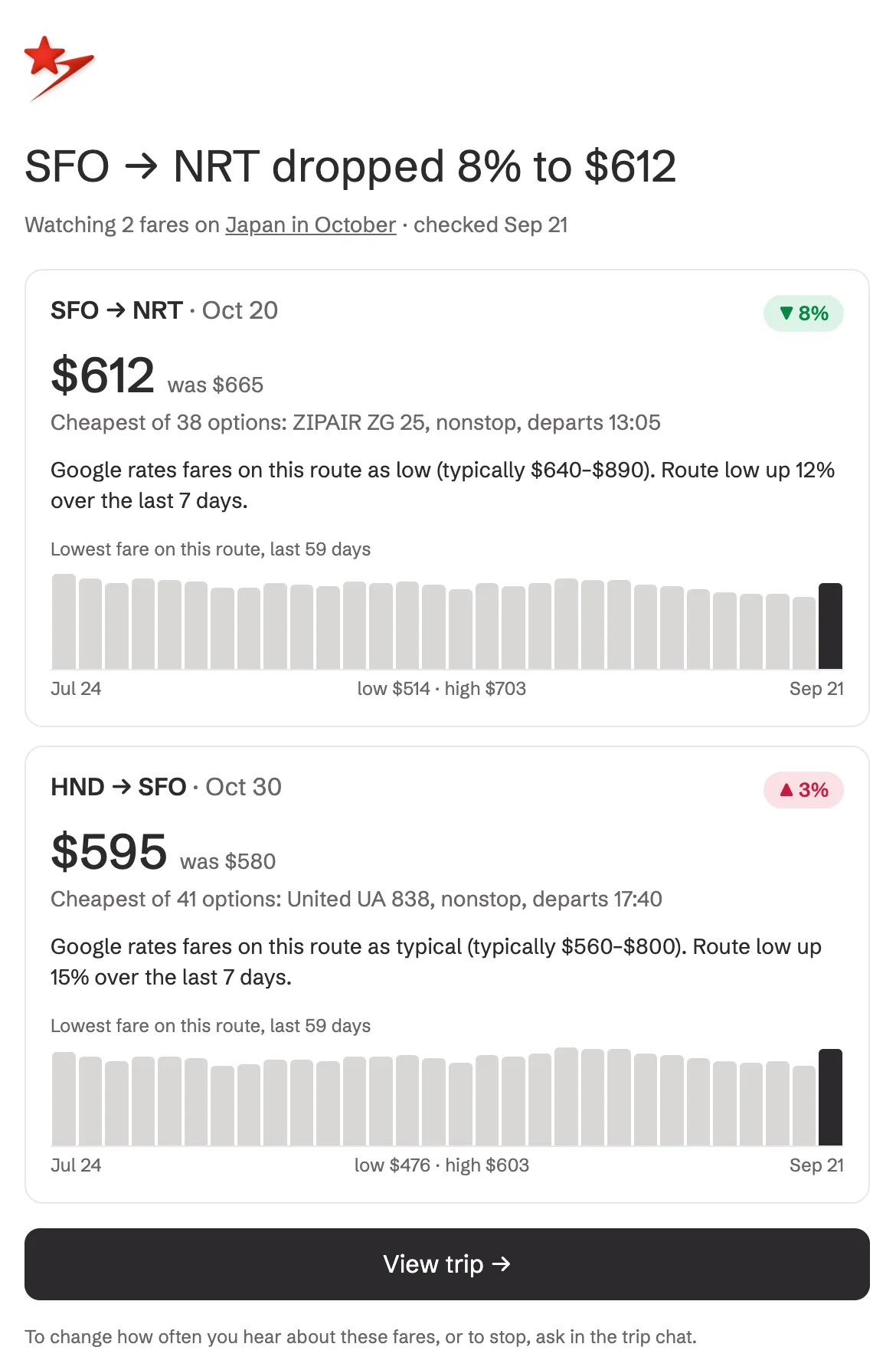
Typically $640–$890 on this route. Lowest fare, last 60 days:
Cheapest of 38 options today: ZIPAIR ZG 25, nonstop, departs 13:05
$665Flight price alerts, answered
- Is flight price tracking free?
- Yes. Every Stardrift account can keep three flight price alerts active at once. Pro removes the limit.
- How do I set a flight price alert?
- Ask in any trip chat, on the web or in the iOS app. "Watch this flight" starts one on a flight you have saved; "watch San Francisco to Tokyo around October 20" watches a route. Add the rule in the same sentence: any change, only a drop of 5% or $50, or a check-in twice a week. Change or stop it by asking.
- Do I need to have booked or saved a flight?
- No. You can track a flight you've saved on a trip, or just a route. Stardrift then watches the cheapest fare across airlines and nearby airports, Haneda and Narita included for Tokyo, and tells you today's price the moment the watch starts.
- How often do flight prices change, and how often do you check?
- Fares on a route can change several times a day. Stardrift re-checks every watch multiple times a day and only tells you when your rule is met.
- How is this different from Google Flights price tracking?
- Google Flights emails you about one search you set up by hand. Stardrift takes the request in plain language, watches a route across several airports at once, reports both directions of a trip in one alert, and only fires on the rule you set. It lives on your trip, so the watch ends by itself once you book.
- Will flight prices go down before my trip?
- Nobody can promise that, and Stardrift does not predict prices. Each alert shows Google's read on whether the fare is low, typical or high for the route, the typical range, and the lowest fare over the last 60 days, so you decide with the numbers in front of you.
- How will I be told?
- By email, by push in the iOS app, and in your Stardrift inbox. Every watch on a trip is reported in the same alert, so both directions of a trip read side by side.