How to Save Travel Ideas from TikTok and Instagram?
tl;dr:
Open Instagram or TikTok and copy the URL of the video.
Paste it into Stardrift. The AI reads the video and extracts every place mentioned.
The places land in a saved list, pinned on a map.
Add them to an existing trip, or save them to come back to later.
If you rely on Instagram or TikTok for travel inspiration, I've got a way for you to make the most of every video you save.
I have compiled a list of AI travel planners, that let you save travel ideas from social media and use them to plan your next trip.
The 5 best AI travel planners with social media import
I tested each of these tools using a single reel and evaluated them for parsing accuracy, ease of use, and their ability to help build an itinerary around the saved places.
1. Stardrift
Best for: A well-rounded AI travel planning experience from inspiration to booking.
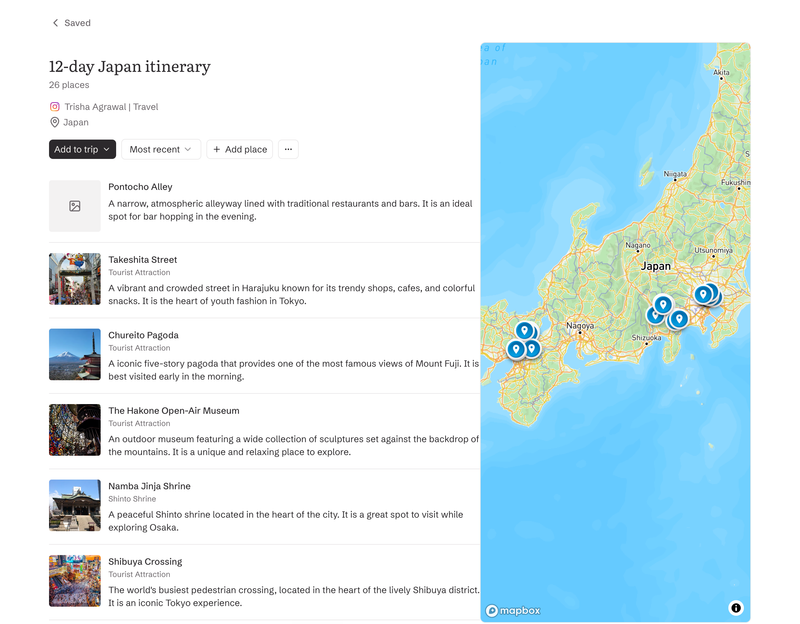
Paste an Instagram or TikTok URL and Stardrift pulls out the places from the reel. It covers the major stops city by city. The specific spots the creator mentioned, not just the obvious headline destinations.
The places land in a saved list, pinned on a live map. From there, you can add them to a trip you already have open, or save them to come back to later.
When you are ready to build, the AI chat takes over. It asks smart questions about the timing, trip length, how you want to balance the stops. Then it builds a day-by-day itinerary around your answers. Preferences for airlines, accommodations, etc, you have already saved in your profile feed in automatically.
You can search flights and hotels without leaving the app. Import booking confirmations via Gmail Connect and Stardrift schedules around what you have already booked. Drag-and-drop editing lets you reorder days manually. Calendar sync exports the plan to Google Calendar or Outlook.
One gap: there is no direct share from Instagram or TikTok yet. You copy and paste the URL manually.
Platforms: Instagram, TikTok
Import method: Paste URL
Pricing: Free for all core features. Pro at $9.99/month adds deeper AI recommendations and PDF export.
2. Airial
Best for: Most thorough parsing of videos. Web-only.
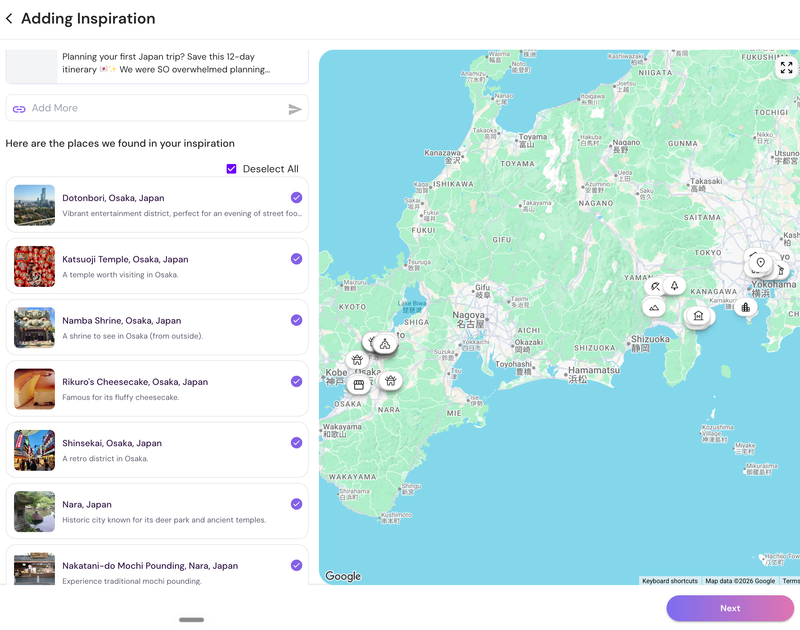
Airial picked up nearly every location in the test reel, the strongest raw extraction of the five tools.
The itinerary follows immediately, no questions asked. Airial assumes a departure city and budget and builds from there. Flights link out to Skyscanner. Hotels are bookable directly within the app. If the assumptions do not match your situation, you can go back and edit.
Two things to know before you rely on it. Airial is web-only with no mobile app and no calendar sync, and it can be a little buggy. In early testing, one session dropped all parsed places after a break. A second run worked cleanly. Save your work as you go.
Platforms: Instagram, TikTok
Import method: Paste URL
Pricing: Free, no account required
3. Mindtrip
Best for: Works with Instagram, TikTok, YouTube, screenshots, and Google Pins
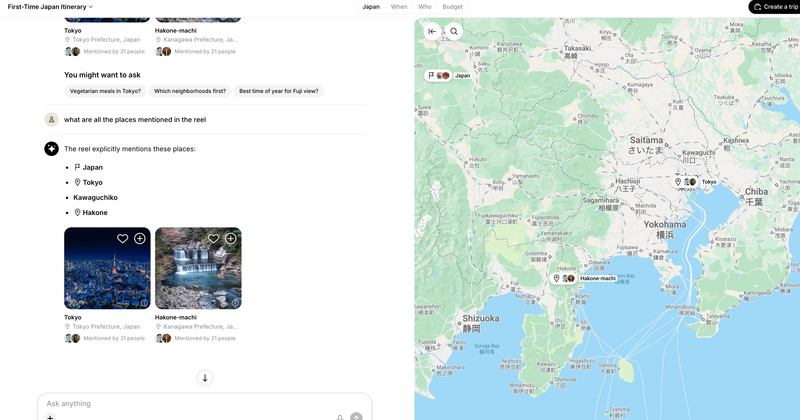
Mindtrip accepts the widest range of inputs of any tool here. What it does with that input is different from every other tool here.
Paste a reel and Mindtrip returns an analysis of the creator's recommendations rather than a list of extracted places. When pushed for specific locations from the same reel, it returned four: the country, two cities, and a lake town.
The analysis fills the gap with inference. Details that sounded specific turned out to be fabricated rather than pulled from the video. So beware of AI hallucinations while using Mindtrip.
Booking is built in via Mindtrip Flights, launched in 2026 through a partnership with Sabre and PayPal, with hotels and activities through Priceline and Viator. The planning stack is solid. The social import just does not deliver what the other tools do.
Platforms: Instagram, TikTok, YouTube, screenshots, Google Pins
Import method: Paste URL, share to app, or upload screenshot
Pricing: Free
4. Expedia Trip Matching
Best for: People who want to plan without leaving Instagram.
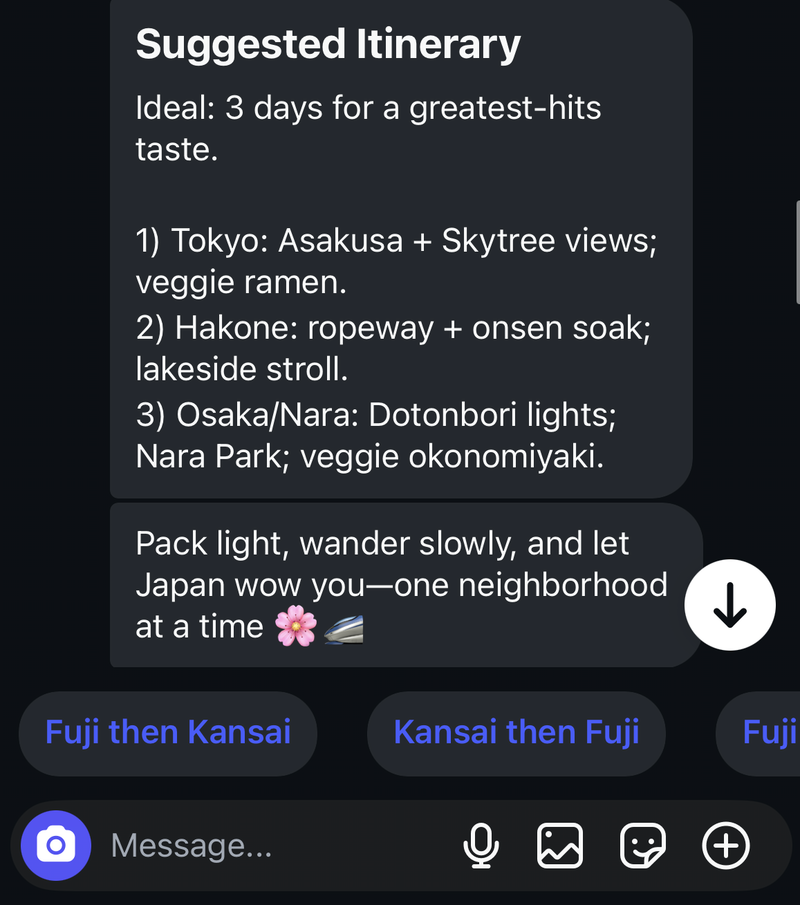
Expedia Trip Matching lives inside Instagram. Find a reel, share it to @Expedia as a DM, and the AI replies with a sample itinerary and rough budget snapshot. No separate app, no extra account beyond your Expedia login.
The output is a 3-day framework with a few stops and meal suggestions. The problem is consistency. Run the same reel twice, and you get different places each time. It's more like an Instagram bot that offers a quick sense of whether a destination might appeal to you.
Platforms: Instagram only
Import method: DM @Expedia on Instagram
Pricing: Free, requires an Expedia account
5. Vacay App
Best for: Instagram share to map pins, no itinerary
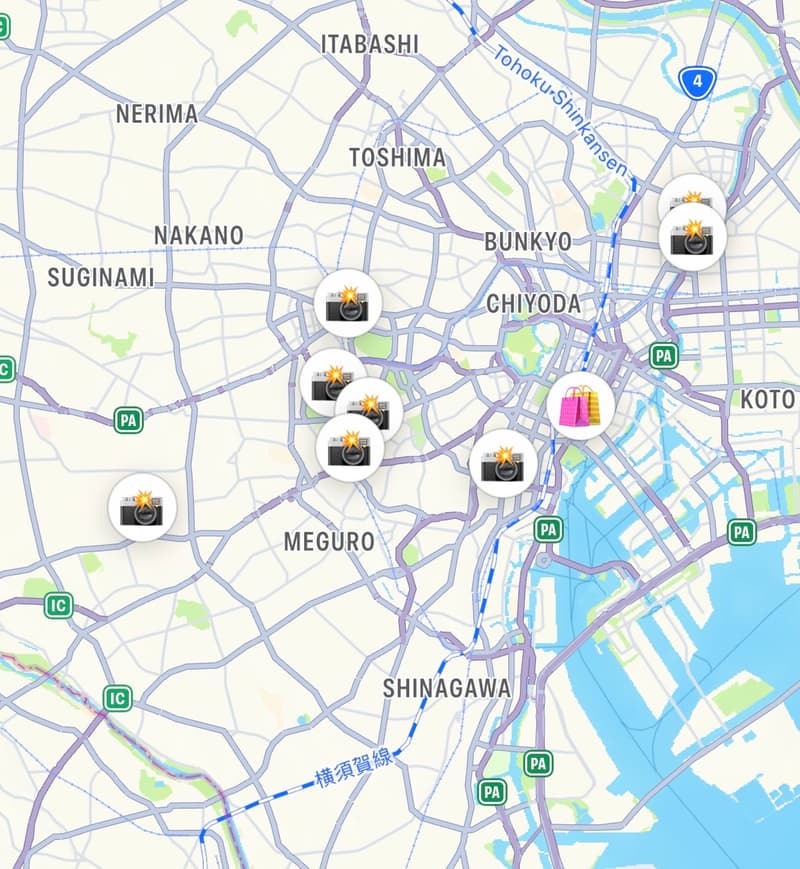
Vacay has the most natural sharing experience of any tool here. Share a reel from Instagram the same way you would send it to a friend, and Vacay starts parsing immediately. No URL copying, no separate tab.
The places land on a map. That is where the workflow ends. Vacay pins the destinations it finds, and there is no way to turn those pins into a trip. The saved places are available for navigation, not planning. Creating an itinerary means starting from scratch in a separate flow.
Also, I learned the hard way that the free trial is only limited to the annual plan. Make sure you have the right plan selected if you are testing out the tool.
Platforms: Instagram only
Import method: Share directly from Instagram
Pricing: $9.99/month